How to Check DA Arrears in CFMS – Complete Guide for CPS Employees
CFMS.. Beneficiary statement now available in CFMS login..
APCPSEA: Flash Flash news..
CFMS.. Beneficiary statement now available in CFMS login.. Note: Every CPS employeesto know your DAa arrears status ( july 2018& january 2019)
How to get CFMS beneficiary statement: process
Step 1: CFMS Login
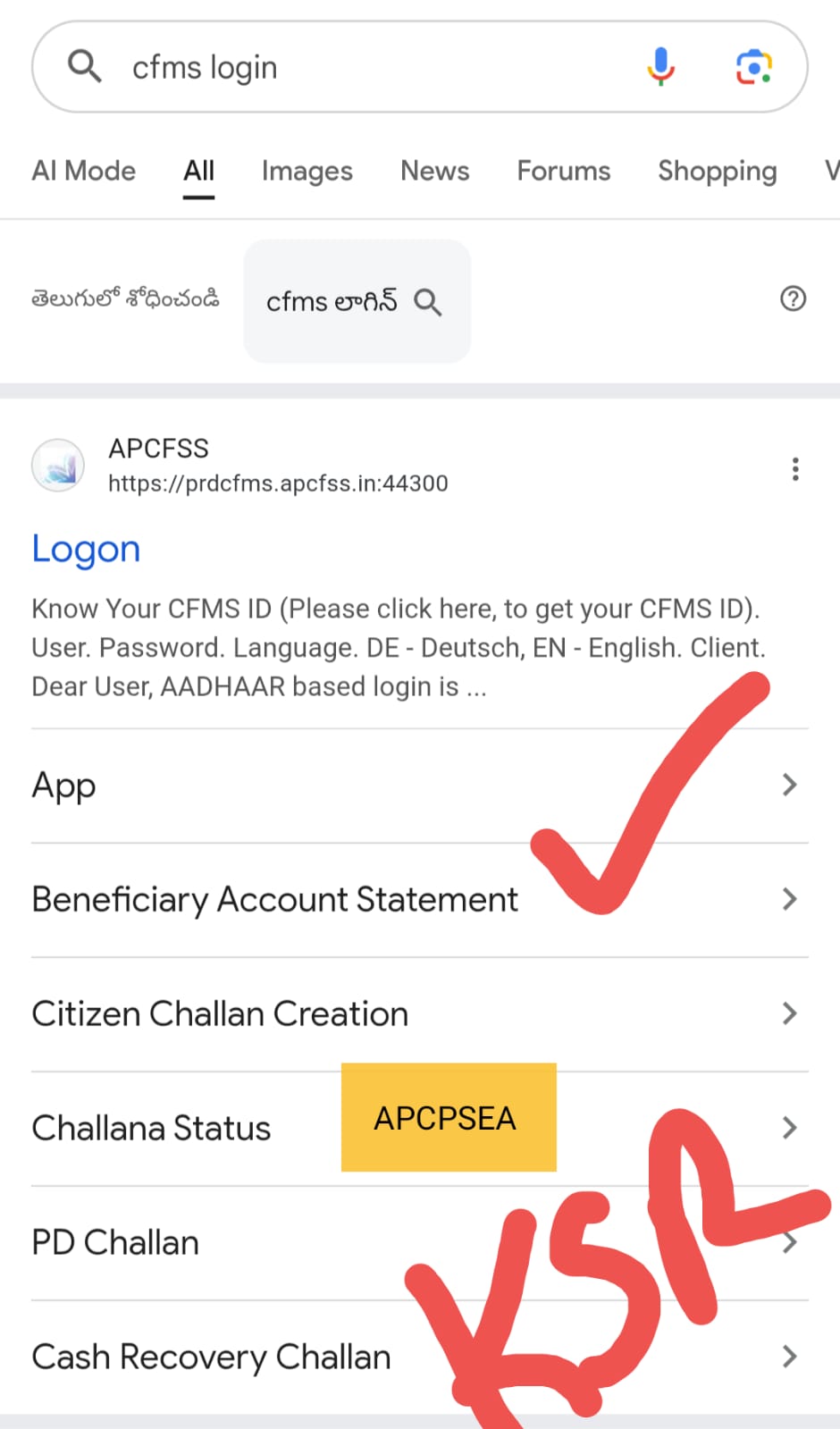
Step 2: Beneficiary account statement
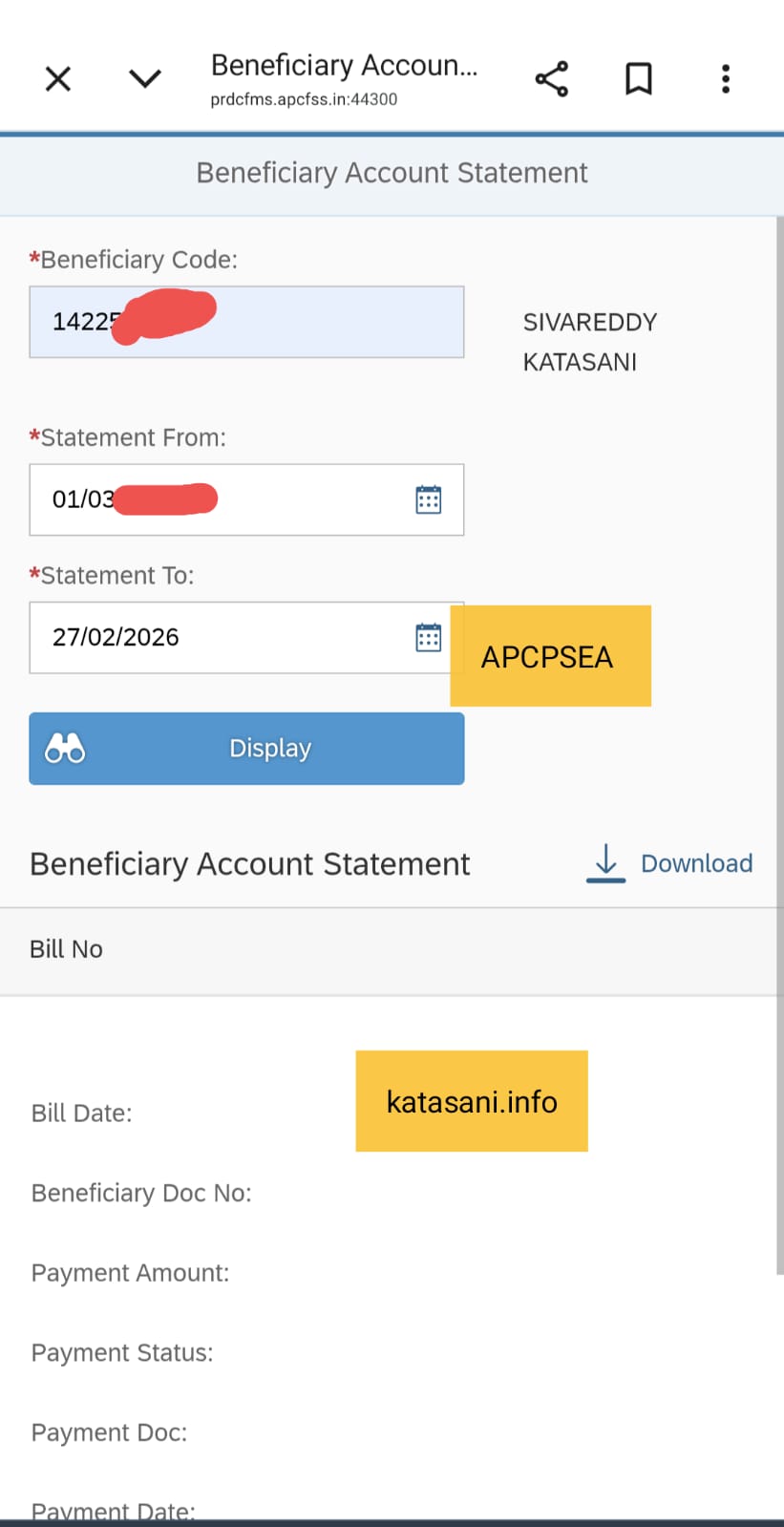
Step 3:
Enter your beneficiary Code ( CFMS id) Select from ... To ..date (Note CFMS implement in 2028)
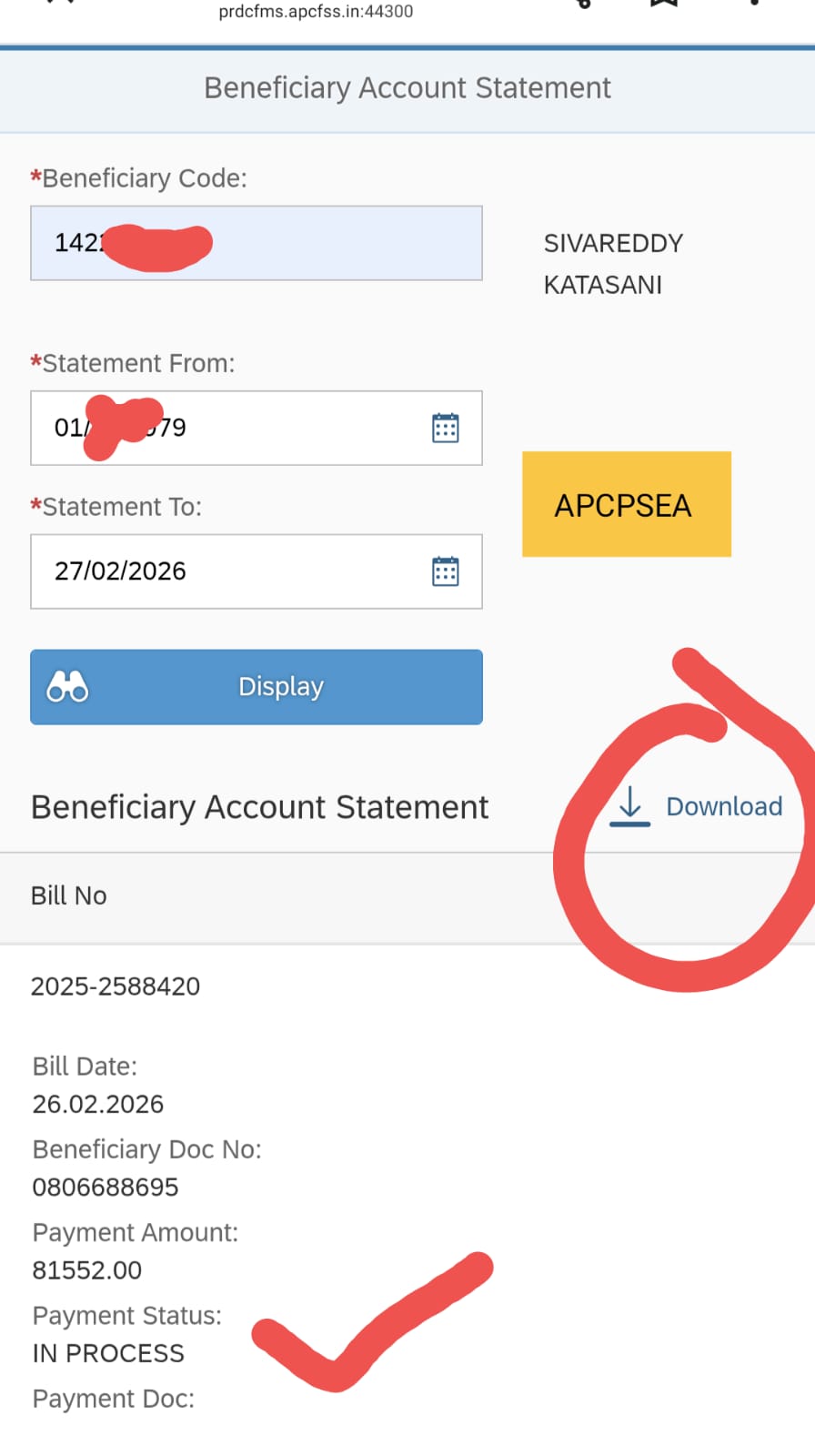
Step 4: Display & Download
Click on display.. After some time details display
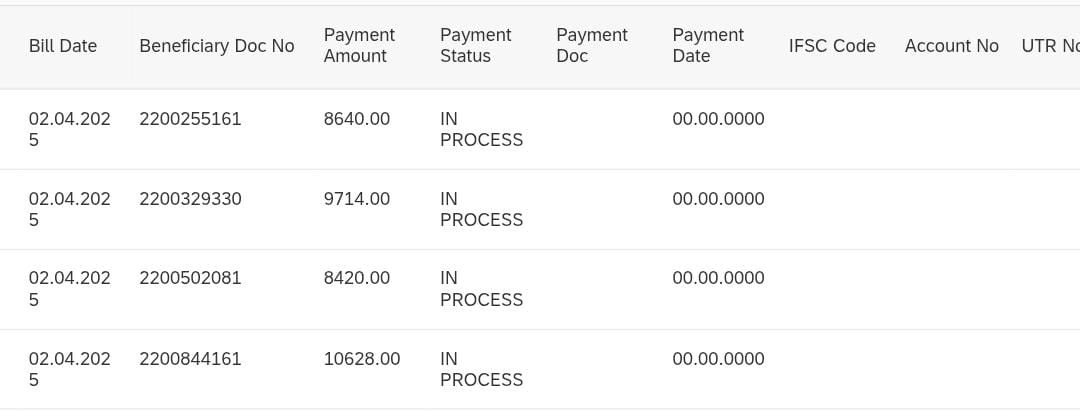
Now select Download option Your all bills details download..
Information Available
- Everyone easily to know your DA arrears bills( july 2018& january 2019).
- How many installments bills prepared and submitted
- How many installments credited
- How many installments in progress ( pending)
- Other pending bills status also shown in CFMS beneficiary statement..